Generate corpus-grounded benchmarks based on specifications
A benchmark is a set of requests issued to your agent, together with corresponding ground-truth responses. MorganaBench lets you tailor the benchmark to your agent through two customization points: a corpus that supplies the proprietary data, and a specification that tells MorganaBench about the intended audience, user personas, and expected linguistic variations.
In this guide we create a benchmark for an agent that answers questions about the historical inaugural speeches of elected US presidents.
Prerequisites
- Navigate to the MorganaBench application in your browser.
- Log in with your credentials.
Overview
- Import your corpus — bring the proprietary data into MorganaBench so it can be used for benchmark generation.
- Customize the benchmark specification — customize and revise the benchmark specification to tailor it to your agent.
- Generate the benchmark — choose the benchmark size and composition, and generate it.
- Inspect the benchmark — view the generated cases and their metadata.
Import your corpus
We will use the US president inaugural speeches corpus for our synthetic benchmark generation. Download the corpus ZIP file from the Natural Language Toolkit (NLTK) GitHub repository, and unzip it to a directory of your choice.
In MorganaBench, choose Corpora from the navigation menu, and then Create Corpus at the top-right corner.
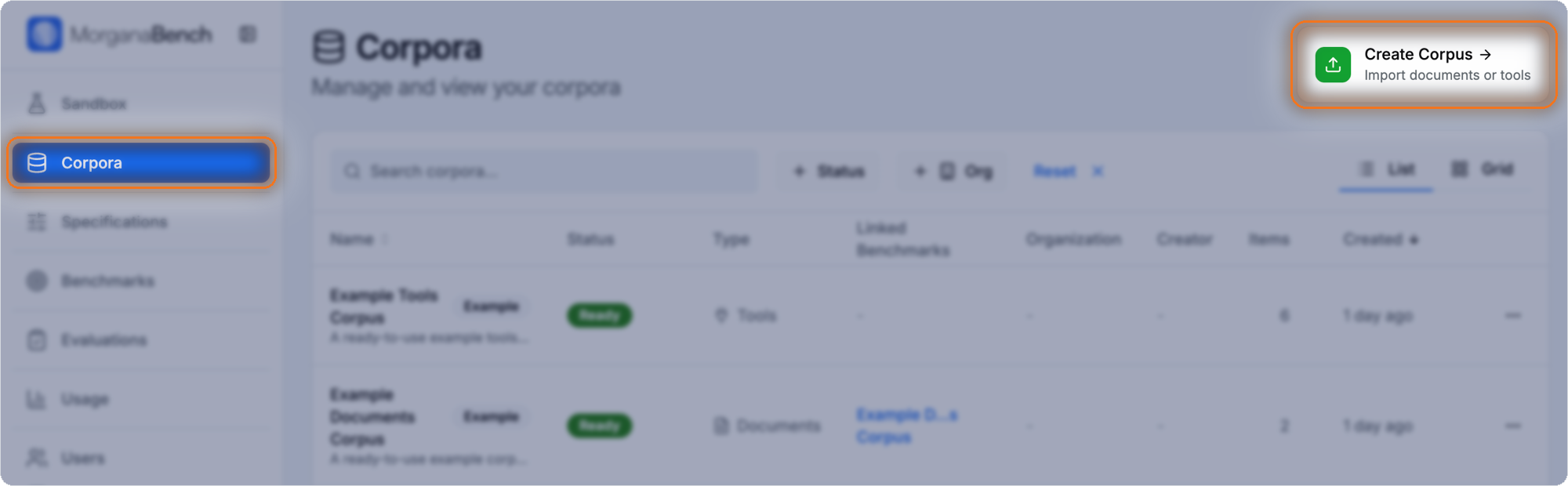
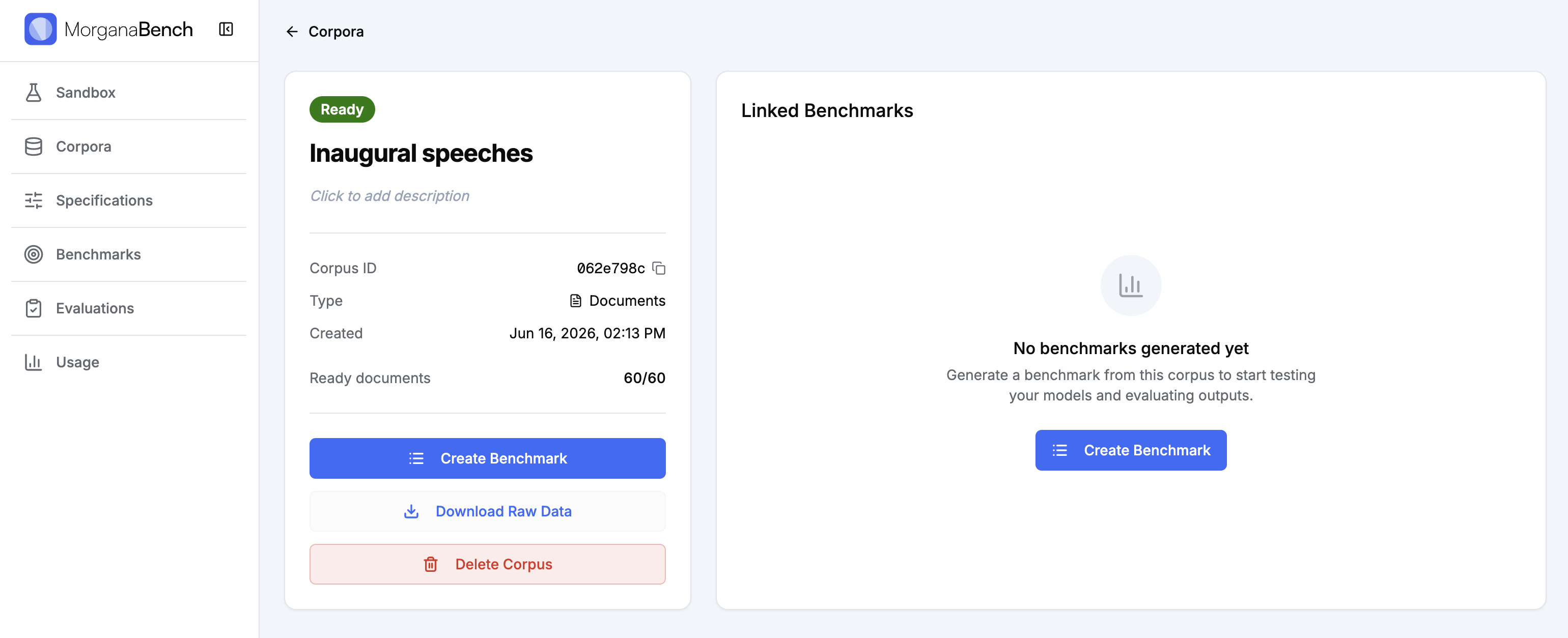
Select the Documents option from the popup, enter the corpus name "Inaugural speeches", click the drop files here box on the right, and select the text files you extracted. Then click submit for processing. MorganaBench builds the corpus within a few minutes, and you should see a result resembling the image below.
Customize the benchmark specification
With the corpus imported, we can move on to customizing the specification, tailoring the benchmark to our agent, and generating it.
Click the Create Benchmark button. In the Benchmark Details box, type "Inaugural speeches benchmark", and make sure the selected corpus is Inaugural speeches.
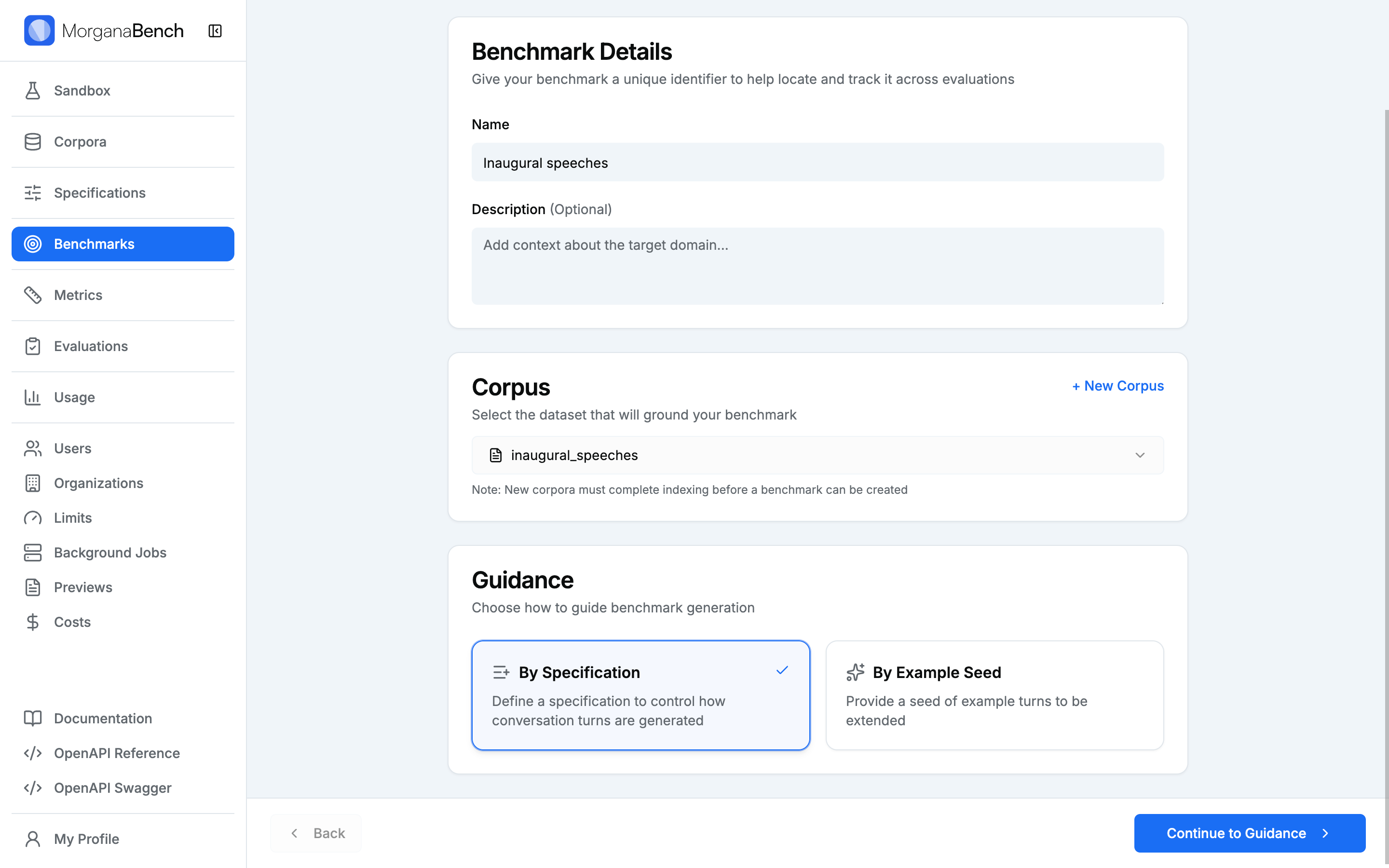
The Guidance box below asks how the cases should be generated. Leave the preselected By Specification option and press Continue to Guidance. This takes you to a screen where you can review and customize the benchmark specification, which starts from the default specification for your corpus type. The Load control in the editor header switches to any specification you have saved in your library, and the adjoining Save stores your edits back there for reuse.
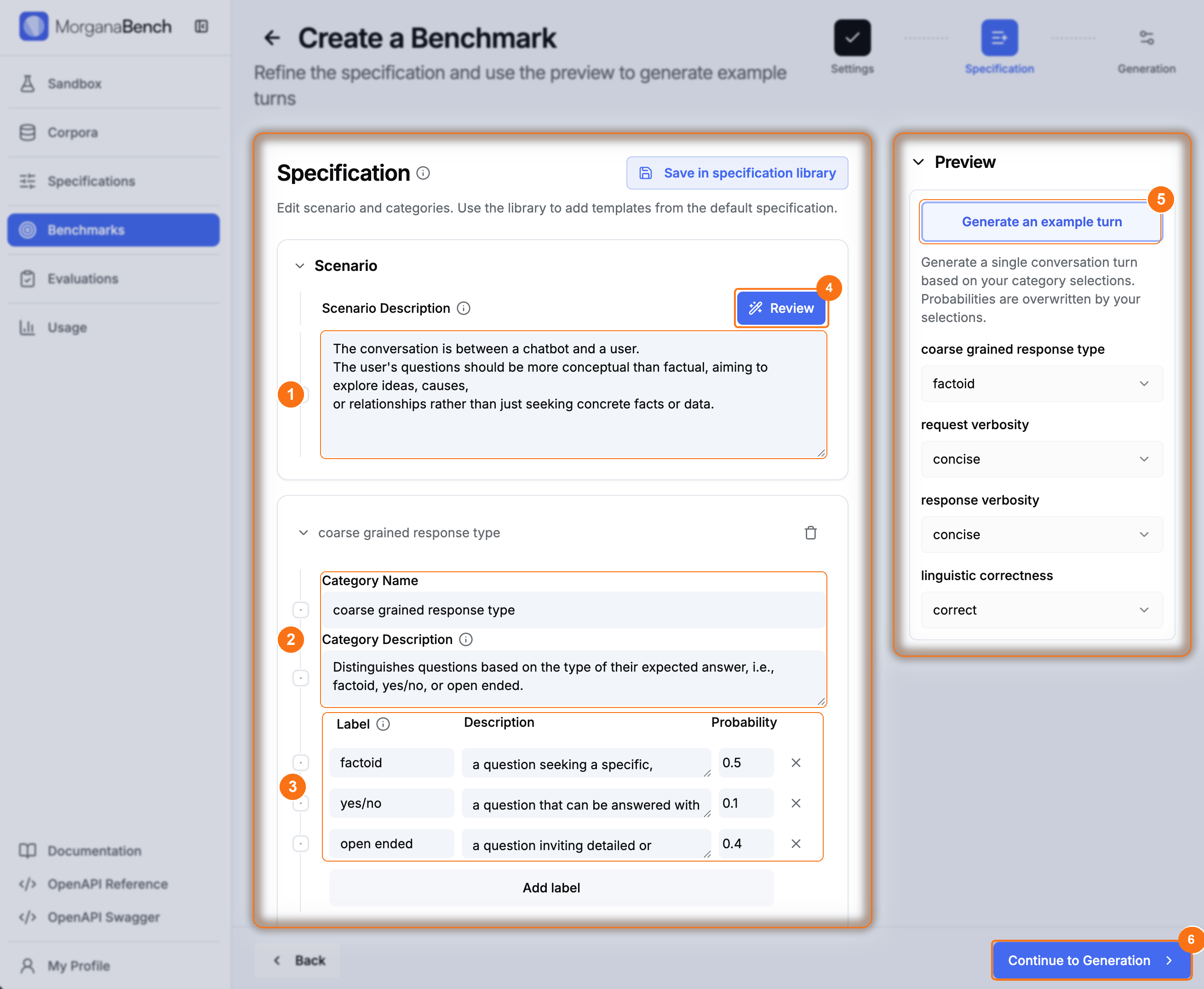
The specification has two major parts: the scenario description (①) and the categories (② and ③). The scenario description tells MorganaBench about your agent and its business use case in general terms; it should describe global properties that hold for all test cases in the generated benchmark. Categories, in contrast, do not describe global behavior — each one is an axis along which the test cases should vary. Within a category, the description (②) tells MorganaBench what the axis means, and the labels (③) name the alternatives along it. Every generated turn draws one label per category, and each label's weight sets how often it is drawn — so categories set the proportions in which the benchmark varies along each axis.
The default specification is a sensible starting point for customization, and MorganaBench helps you align it with these guidelines through the Review button (④), demonstrated below. You can also generate example pairs of requests and expected responses with the Preview button (⑤) to test your specification before committing to the lengthier benchmark-generation process. When you are satisfied, proceed with the Continue to Generation button (⑥).
To demonstrate the editing process, suppose the users of our chatbot speak either English or Spanish. Replace the text of the scenario description with the following:
The conversation is between a chatbot and a user. Users will ask questions either in English or Spanish, and the answer is always in the user's language.
We have intentionally introduced an error here: we described a variation across English and Spanish in the scenario description, where it belongs in a category instead. We did, however, correctly specify one genuine global property — the answer must be in the user's language. The automated review catches the mistake and proposes a fix. Click the Review button, and a proposal pops up in the top-right corner of the screen, as shown below.
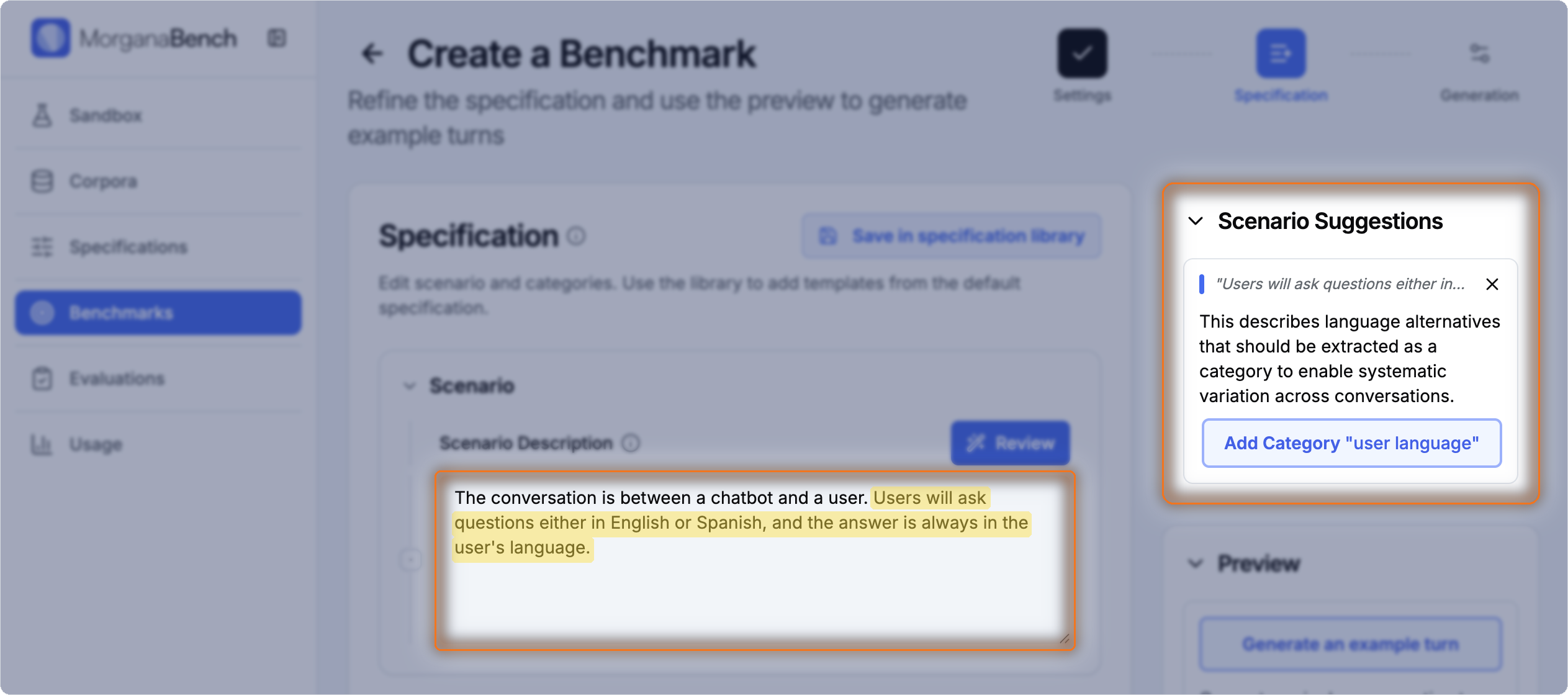
Accept the proposal by clicking its Add category button. This inserts a new category for the user's language, with two labels — English and Spanish — and matching descriptions. The process is not deterministic, since a language model runs behind the scenes, but the result should resemble the one below:
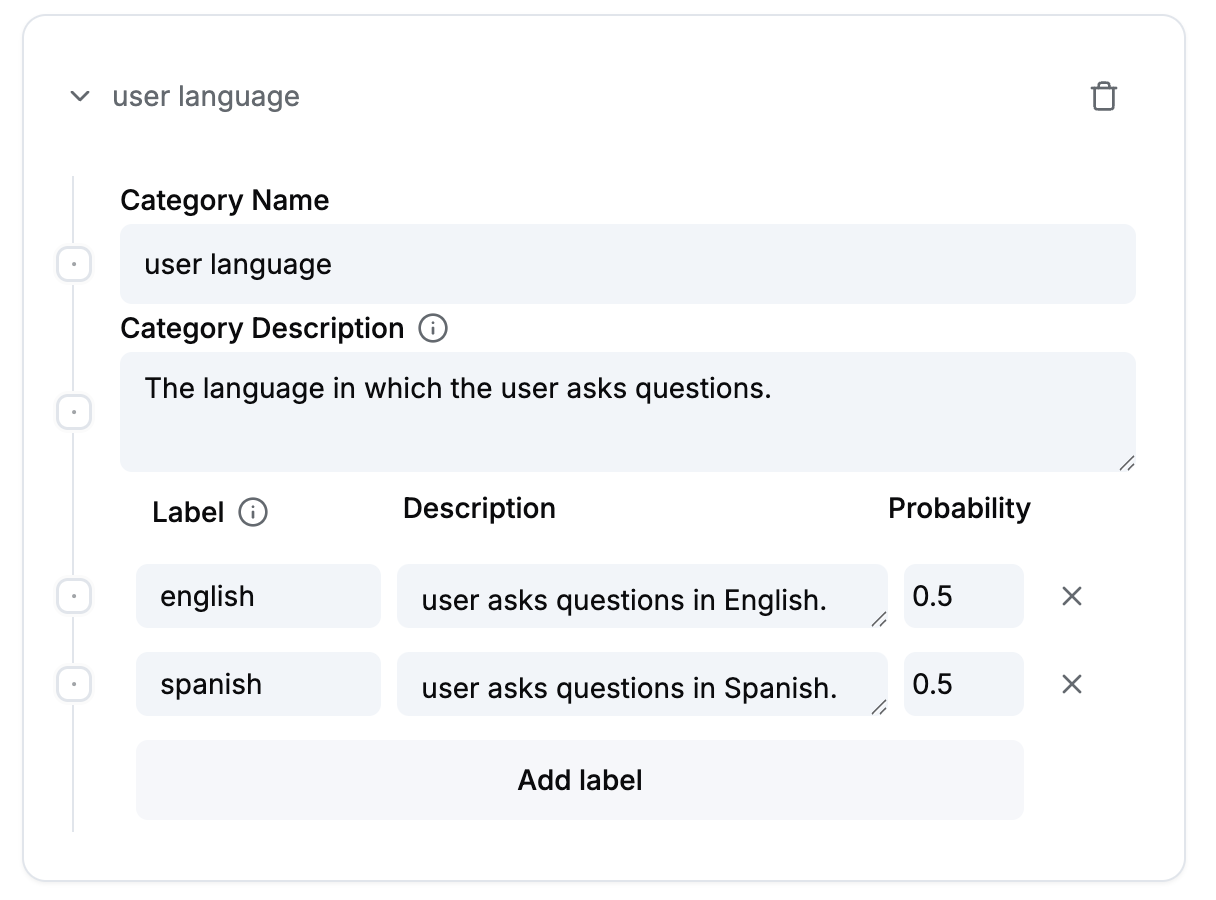
Generate a few previews with the Preview box (⑤) — picking a different label in the category dropdowns each time — to verify that the generated questions and answers match the category descriptions. When you are satisfied, click the Continue to Generation button (⑥).
Generate the benchmark
Having clicked Continue to Generation, you can choose the size of the benchmark and the maximum number of conversational turns, as shown below:
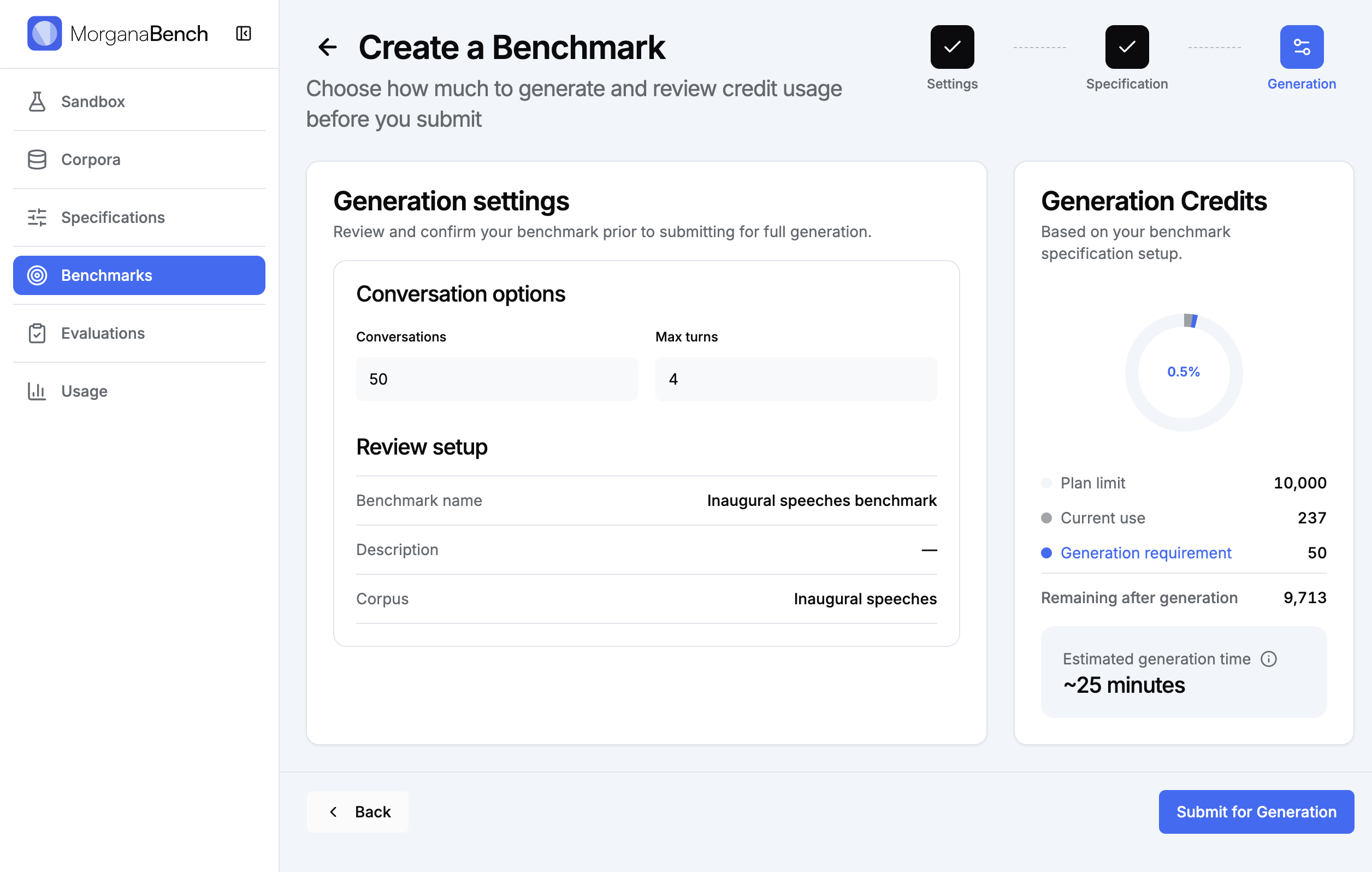
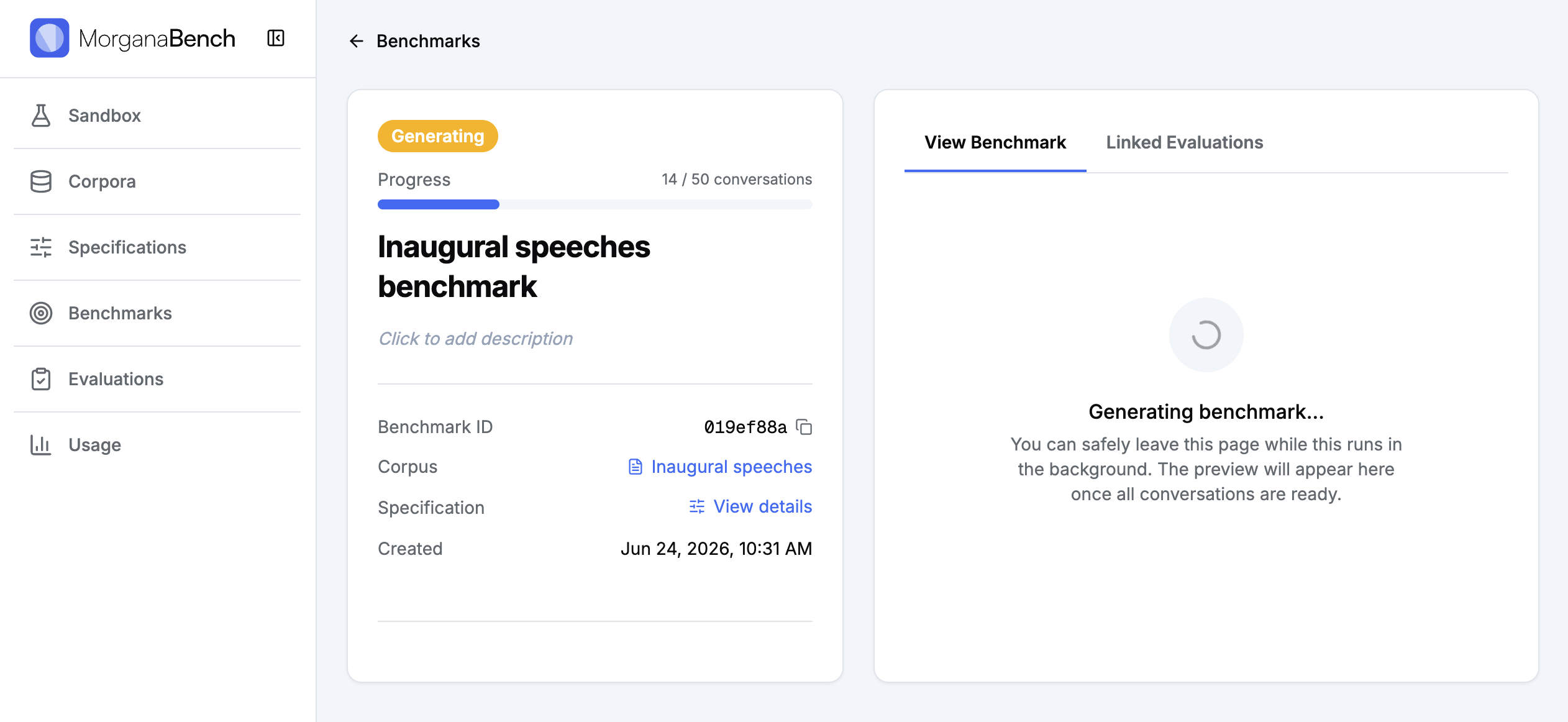
The conversation-length distribution follows a simple rule: each additional turn is half as likely as the previous one. In this tutorial we use the default settings. Click the Submit for Generation button to start generating the benchmark. While generation runs, you can follow its progress on the progress bar.
Inspect the benchmark
After generation is done, you should see a screen resembling the one below:
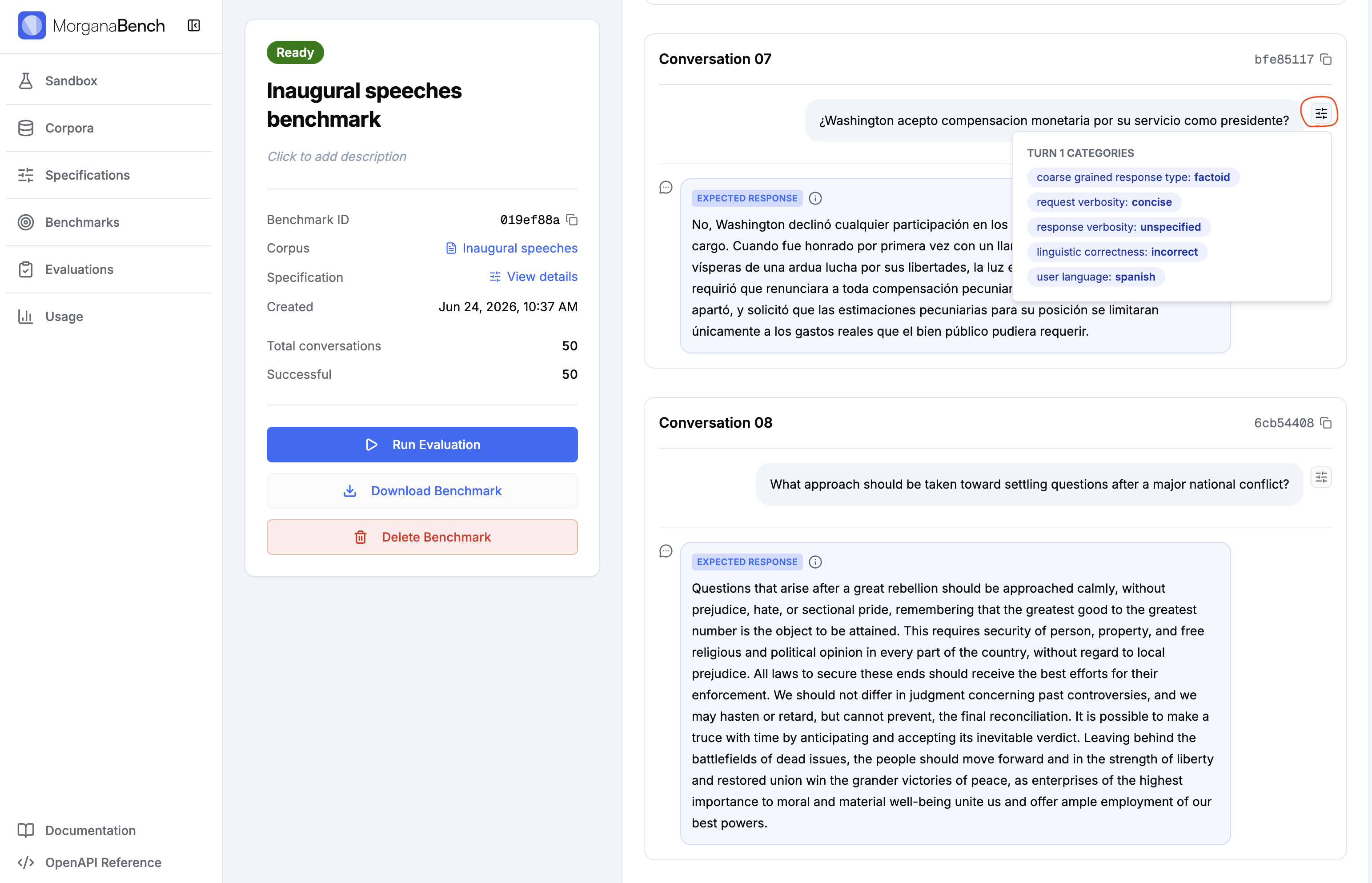
The left panel shows general metadata about the benchmark, such as its name, the corpus it is grounded on, and its specification. The right panel shows the benchmark's content — the inputs to your agent and the expected responses it should produce. We can indeed see that the system generated a Spanish response to a Spanish question and an English response to an English question, matching the language category we added.
Hovering over the button, marked with a red circle in the screenshot above, reveals the category labels of each conversational turn. The ID of each case is shown at the top of its box, along with a copy button — useful for locating a specific case in the benchmark file. You can download the full file with the Download benchmark button on the left panel and inspect it offline.
The file format is straightforward: a newline-delimited JSON file (known as JSONL or NDJSON), where each line describes the agent's inputs, the associated metadata, and the expectations. We provide a Python library and accompanying documentation for parsing and working with the format — see the SDK and Data Formats documentation. Below is one example line from a generated benchmark:
{
  "id": "bc8095fa-995e-4652-95d7-75e5a7f11a23",
  "benchmark_id": "019ef88a5cb073109b743a07f9938adf",
  "inputs": {
    "messages": [  // (1)!
      {
        "role": "user",
        "content": "What year was described as having the greatest progress toward lasting peace since World War II?"
      }
    ],
    "metadata": {
      "turns": [ // (2)!
        {
          "categories": {
            "coarse grained response type": "factoid",
            "request verbosity": "concise",
            "response verbosity": "detailed",
            "linguistic correctness": "incorrect",
            "user language": "spanish"
          },
          "resources": []
        }
      ]
    }
  },
  "expectations": [ // (3)!
    {"expect": "response", "response": "1972 was described as the year of the greatest progress since the end of World War II toward a lasting peace in the world. This was attributed to America's bold initiatives, including missions to Peking and Moscow, and the revitalization of traditional friendships, which helped establish the base for a new and more durable pattern of relationships among the nations of the world."}
  ],
  "outputs": null,
  "assessments": null
}
- OpenAI-style messages describing the input given to the agent.
- Metadata associated with each turn, including the category labels assigned to it.
- The expected outcome the agent should produce, as a list of typed items. In search benchmarks the list holds one item with
expectset toresponse.
The inputs field holds the agent's input in the familiar OpenAI messages format, along with associated metadata, and the expectations field holds the ground-truth response. The outputs and assessments fields are empty for now: outputs will hold the responses from the agent under evaluation, and assessments will hold MorganaBench's scoring of those outputs against the expectations.
Learn next
- Evaluate an agent on the benchmark using the CLI.
- Evaluate an agent on the benchmark using the web UI.