Issues
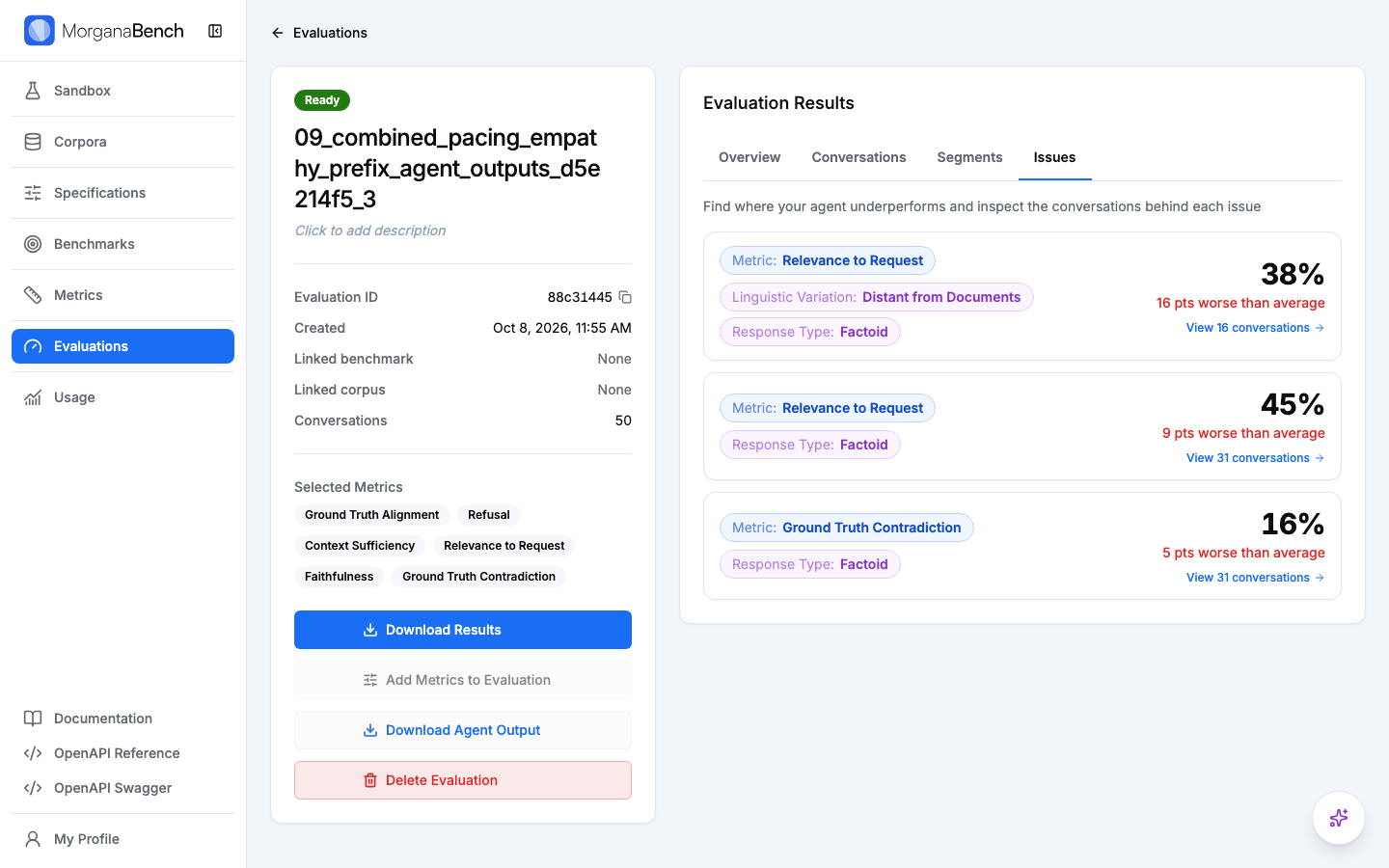
The Issues tab of an evaluation lists the segments where a metric is significantly worse than the evaluation's overall score. Use it to decide what to fix first. Segments is the complete table of every segment with no verdict; Issues is the short list of the ones that statistically stand out, computed from the same numbers.
How findings are chosen
For each metric, a segment (one value of a category, or one value each of two categories) becomes a finding when its cases score significantly worse than all other cases, after correcting for multiple comparisons, and its score is worse than the overall score by more than 5% of the metric's range. Segments with fewer than 10 cases are not tested, and metrics with fewer than 20 scored cases are not analyzed.
A finding is relative to the evaluation's own overall score, not to a fixed threshold, so a metric that is low across the whole evaluation produces no findings. Every finding is also a cell in the Segments table: choose its categories as rows and columns there to compare it with neighbouring segments.
Cards
Each card is one finding:
- Metric and segment pills. A segment pill reads Dimension: Category - Label · type, where the type is from spec or Inferred, e.g. Dimension: Answer Scope - Single Item · Inferred. Two categories mean both apply at once, as in a two-category Segments cell. When a finding is on an inferred category, a note at the bottom of the tab says those categories were identified from your benchmark.
- Score of the segment. It matches the same cell in the Segments table.
- Drop: how much worse the score is than the overall score, in the same units as the score, e.g. "13 pts worse than average".
- View N cases: opens the Case details tab filtered to the segment, with all metrics shown.
Order
Cards are ordered by the largest drop within each finding's confidence interval, not by the drop shown on the card. A card with a smaller estimated drop but a wider interval can therefore rank above one with a larger estimated drop.
The tab shows 10 cards; Show 10 more loads the next ones.
Empty states
- No issues found: the evaluation was analyzed and no segment was conclusively worse. This does not mean nothing is wrong.
- This evaluation was not analyzed: it finished before segment analysis was available. Re-run it to get findings.
- No segment dimensions found: the benchmark defines no categories.