Generate large-scale corpus-grounded benchmarks from a few example requests
A benchmark is a set of requests issued to your agent, together with corresponding ground-truth responses. The more like this capability lets you tailor the benchmark to your agent through two customization points: a corpus that supplies the proprietary data, and a set of illustrative examples that MorganaBench uses as a reference when generating new cases.
In this guide we create a benchmark for an agent that answers questions about the historical inaugural speeches of elected US presidents.
Prerequisites
- Navigate to the MorganaBench application in your browser.
- Log in with your credentials.
Overview
- Import your corpus — bring the proprietary data into MorganaBench so it can be used for benchmark generation.
- Provide example requests — supply an illustrative set of example user messages.
- Discover new examples with MorganaBench — expand your example set with corpus-grounded candidates that you review and refine.
- Generate the benchmark — choose the benchmark size and generate it.
- Inspect the benchmark — view the generated cases and their metadata.
Import your corpus
We will use the US president inaugural speeches corpus for our synthetic benchmark generation. Download the corpus ZIP file from the Natural Language Toolkit (NLTK) GitHub repository, and unzip it to a directory of your choice.
In MorganaBench, choose Corpora from the navigation menu, and then Create Corpus at the top-right corner.
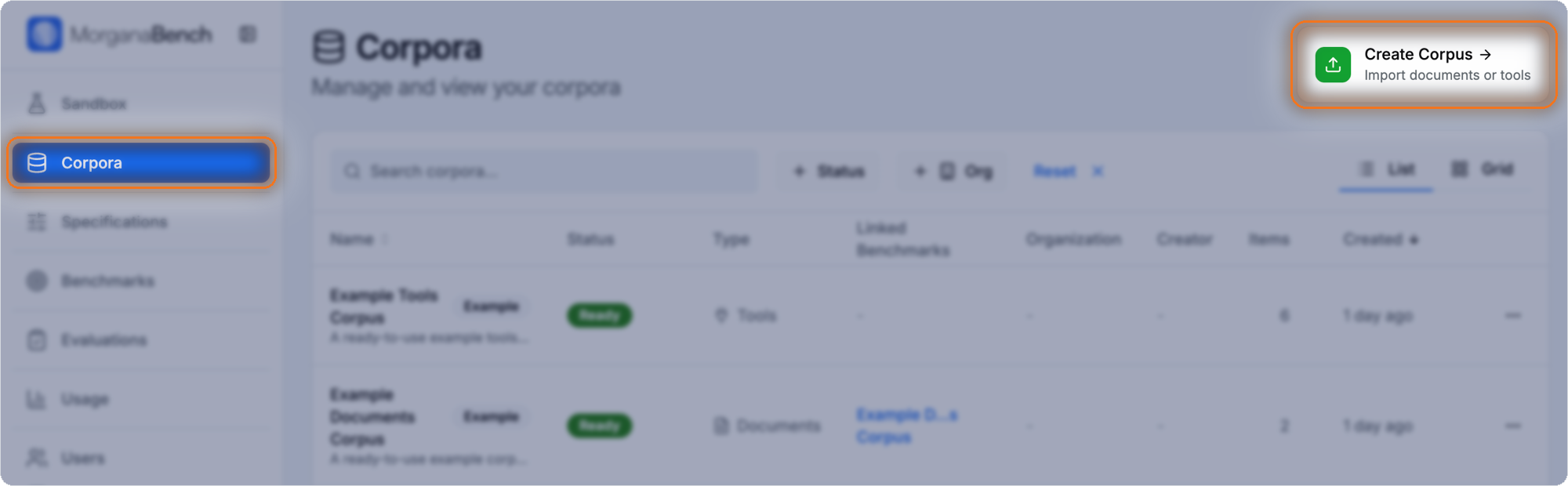
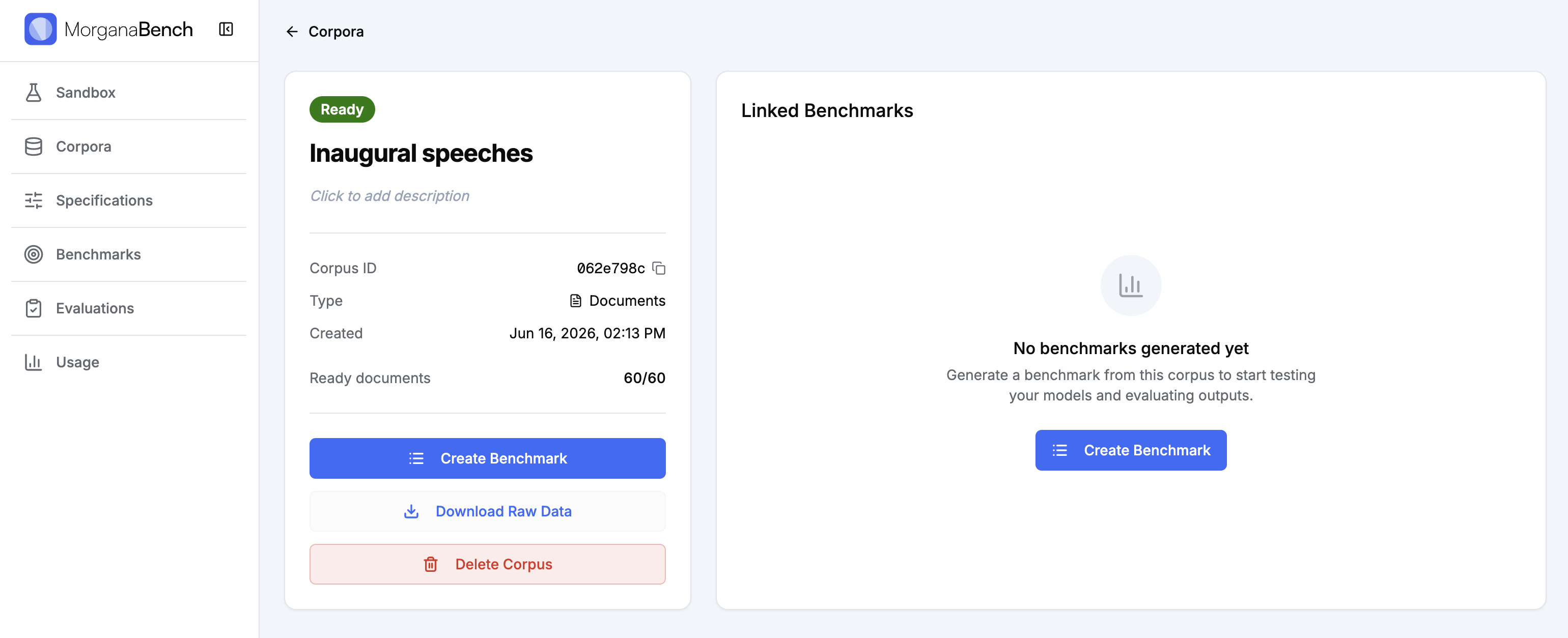
Select the Documents option from the popup, enter the corpus name "Inaugural speeches", click the drop files here box on the right, and select the text files you extracted. Then click submit for processing. MorganaBench builds the corpus within a few minutes, and you should see a result resembling the image below.
Provide example requests
With the corpus imported, we can move on to providing example requests and generating the benchmark.
Click the Create Benchmark button. Name the benchmark and make sure the selected corpus is Inaugural speeches.
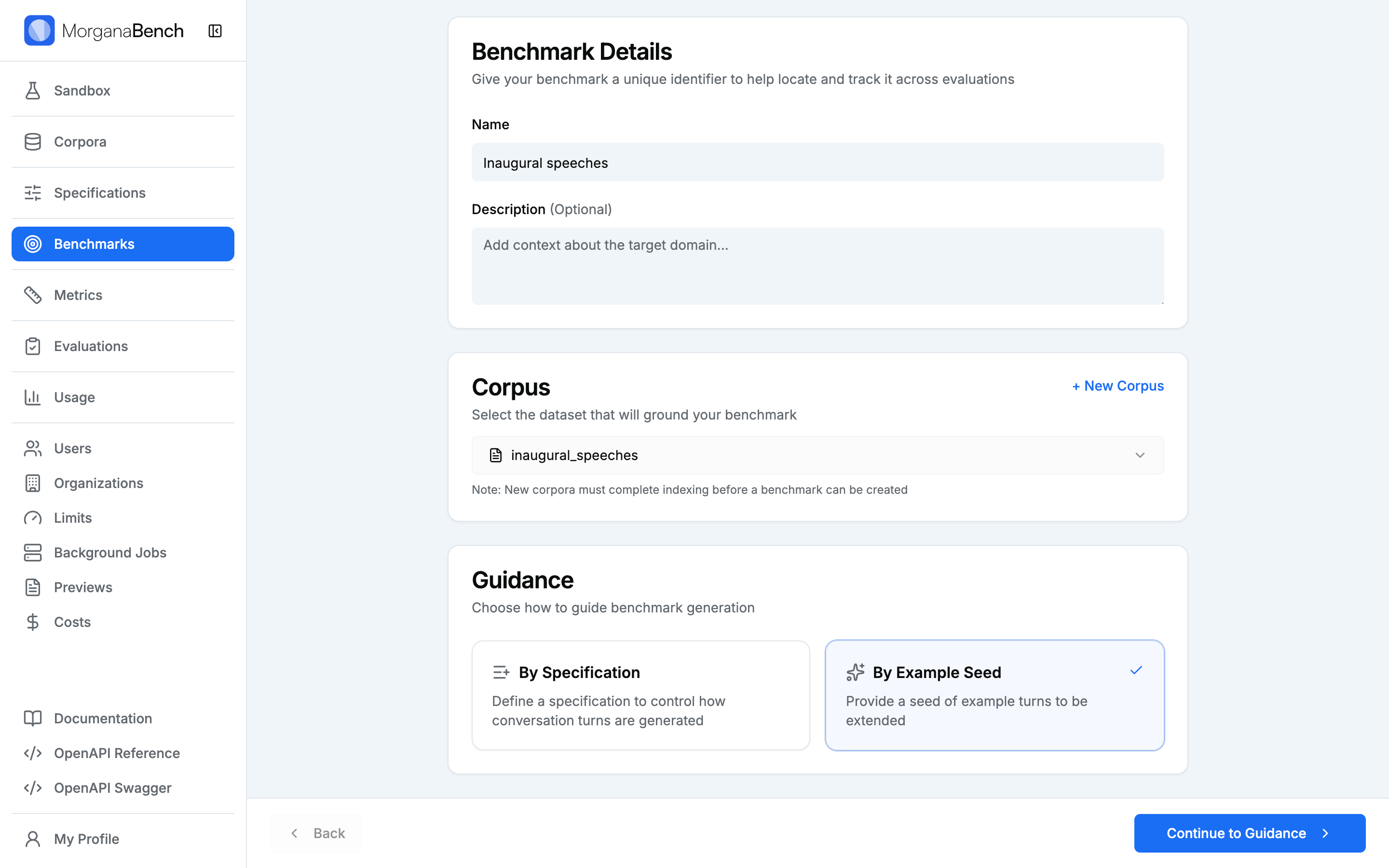
In the Guidance box below, select By Example Seed instead of the preselected By Specification, then press Continue to Guidance. This takes you to a screen where you build the set of illustrative examples that MorganaBench will emulate when generating a large-scale benchmark.
First, provide the scenario description, which tells MorganaBench about your agent and its business use case in general terms. It should describe global properties that hold for all test cases in the generated benchmark.
You then have three ways to provide illustrative examples:
- Load a YAML, JSON, or JSONL file.
- Enter example requests manually.
- Let MorganaBench suggest candidate examples for you to accept or reject.
A sample examples file for the inaugural speeches corpus is available to download and use directly.
Suppose we enter examples manually. In the example 1 form we write What approach should be taken toward setting priorities after a major national conflict?, and in the example 2 form Quale approccio bisognerebbe adottare nel formulare le questioni da affrontare dopo un grave conflitto nazionale?
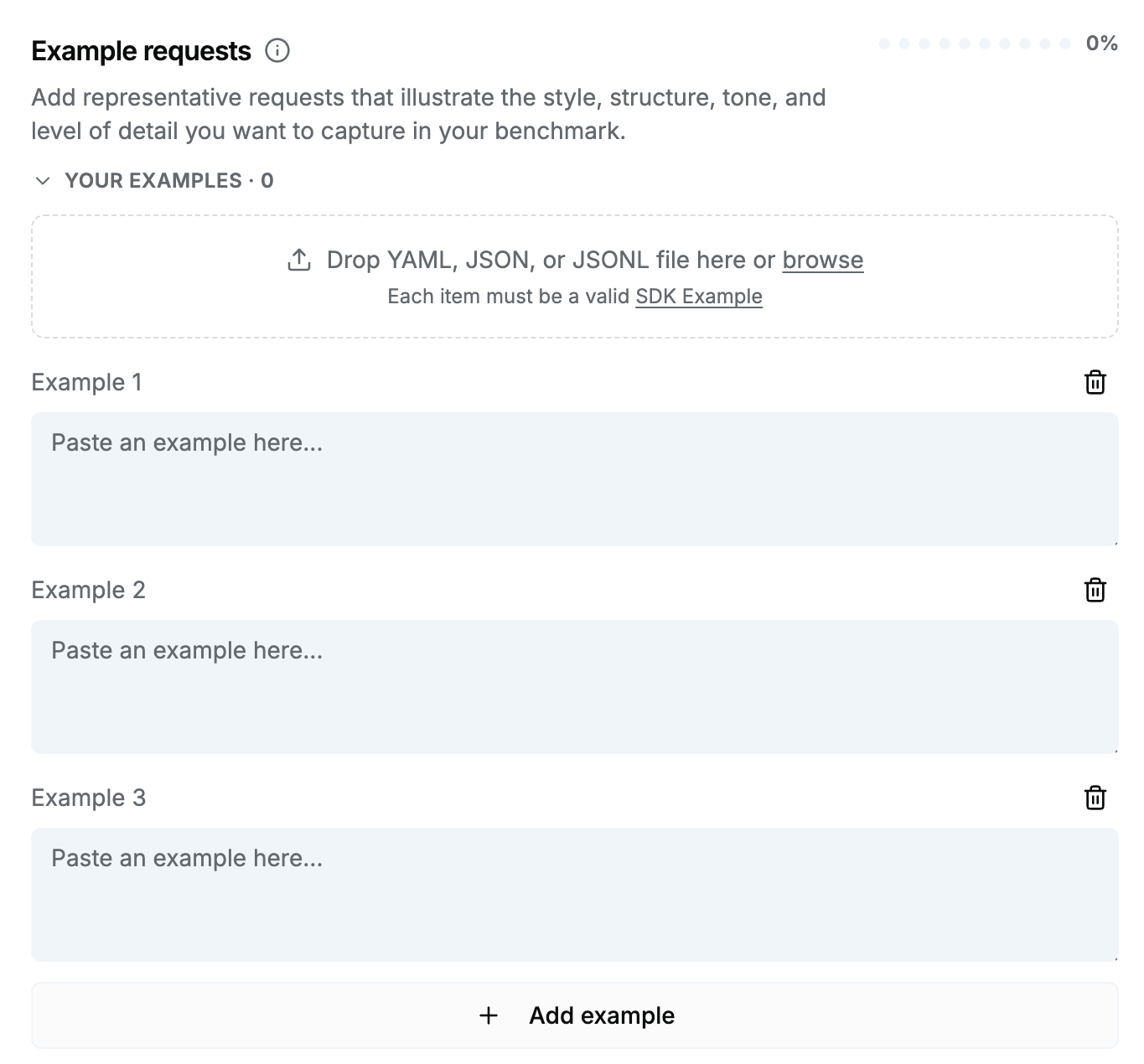
At this point we could jump straight to large-scale generation with the Continue to Generation button. But two examples don't give the generation process enough variability to produce a high-quality, diverse benchmark.
The preview makes this easy to see. Each time we press Generate example turn, MorganaBench produces a new sample request, picking a fresh topic automatically each round, but copying our originals' style and structure — a direct consequence of having only two examples to learn from. In practice, the generated requests keep appearing in English or Italian, and tend to open with What approach should be taken or Quale approccio bisognerebbe adottare.
What makes a good seed set
MorganaBench doesn't just copy your examples — it treats them as a sample of the traffic you care about and generates broadly around them. Topic is not part of that sample: MorganaBench draws topics from the corpus on its own, independently of your examples. What it does learn from your seed set is everything else about how a request is put together — its phrasing, tone, length, and structure. So the goal is to make your examples representative of that variation. Before generating at scale, check your set against how your real users phrase and size their requests, from short direct questions to longer, more elaborate ones.
Discover new examples with MorganaBench
Rather than manually writing every example, we can ask MorganaBench to propose new candidates grounded in the corpus, and review each one before it joins our set. This is a faster path to a broad, diverse example set, and it lets MorganaBench do the writing while we stay in control of what actually gets used.
This mode is deliberately explorative: it favors candidates that push into new variation over ones that closely resemble what you've already accepted. Expect to reject a fair number of candidates in each batch — that's the mechanism working as intended, not a sign something's wrong. Rejections are exactly how you steer it.
In the Discover more examples section, click Generate candidates. MorganaBench generates a batch of candidate requests and opens a Candidates to review section below, with one card per candidate.
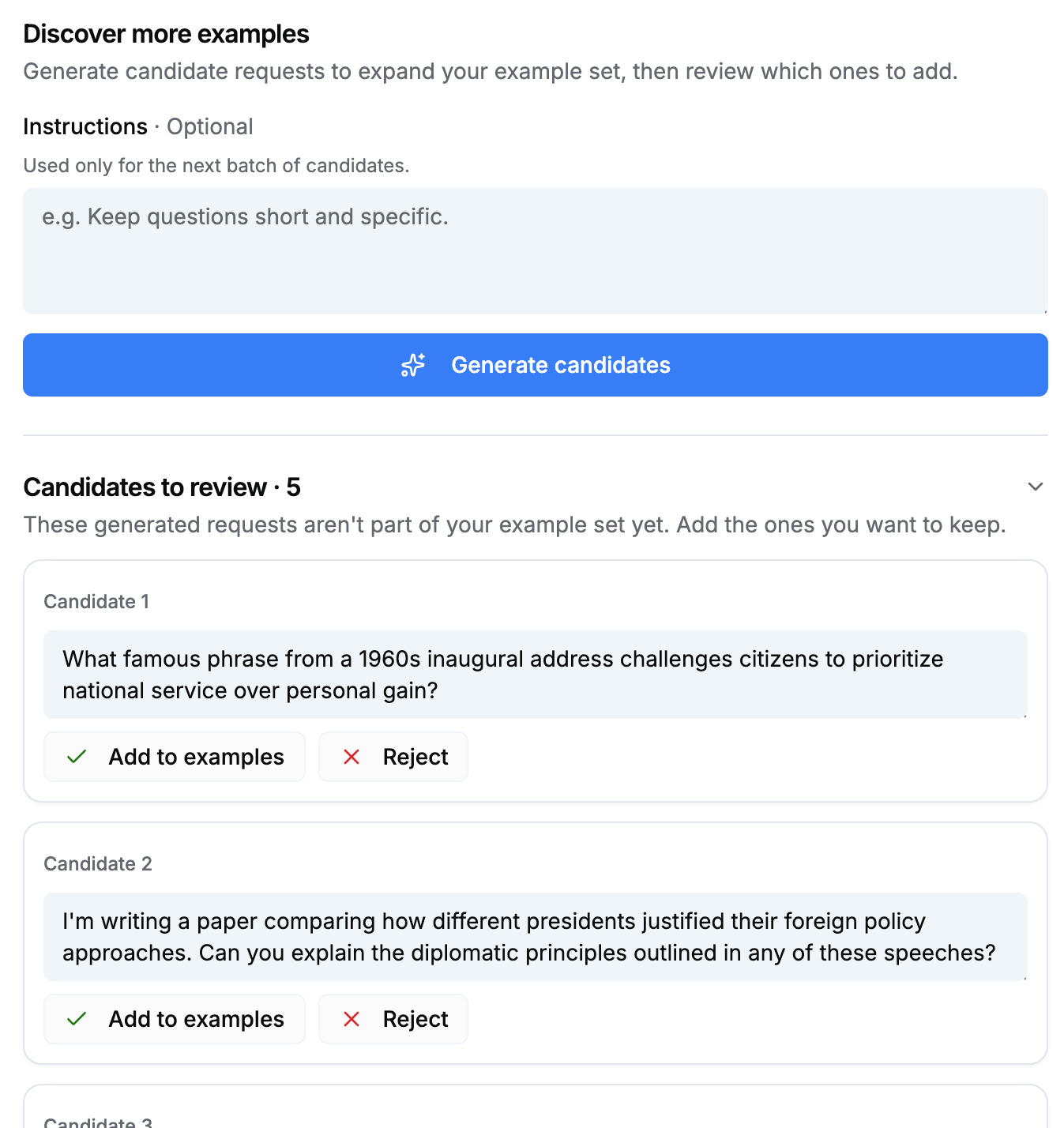
Each candidate is editable — adjust the wording directly in its text box if it's close but not quite right — and carries two decisions: Add to examples moves it into the main example list, right after your existing examples, and Reject opens an optional feedback field where you can explain what's wrong with it before confirming.
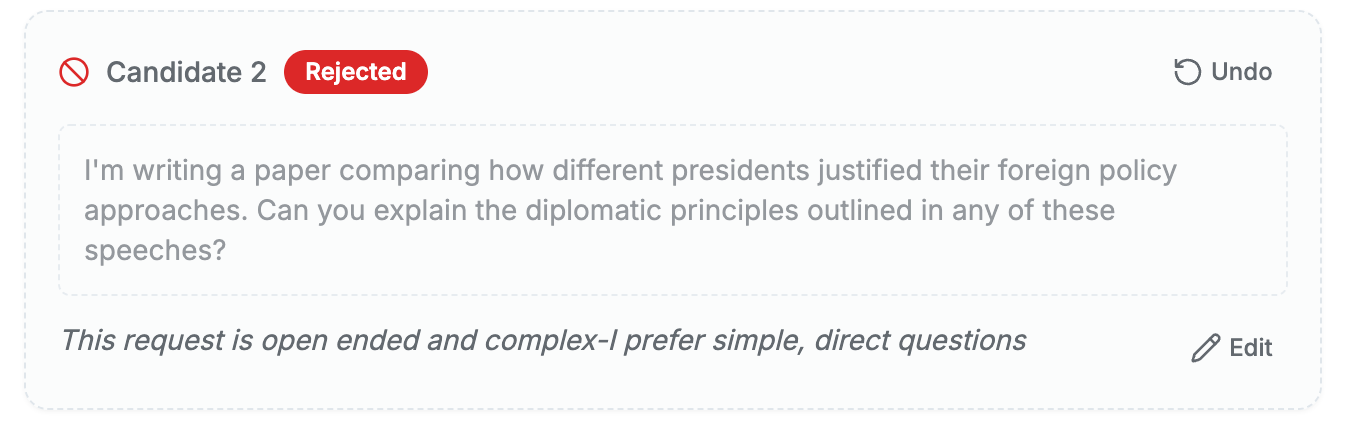
For our agent, we'd rather stick to simple, direct questions than open-ended ones, so we reject candidate 2 above with a short note explaining why — a different agent, more suited for elaborate discussion, might have kept it. Rejected examples aren't discarded: MorganaBench remembers them, along with any feedback you gave, and factors them in as negative signal.
The optional Instructions field, just above the button, steers at a different level than a rejection does: a rejection is a note about one candidate, while an instruction applies to the whole batch you're about to generate — Keep the questions short and specific, or Ask about pricing rather than about features. It isn't accumulated into the accept/reject history the way rejections are; whatever is in the box when you press Generate candidates applies to that batch, so edit or clear it between rounds as your steer changes. Leave it empty and the batch is guided by your examples and review history alone.
Once you've reviewed the current batch, you may click Generate candidates again to generate a new one. Each new round takes the accept/reject history from earlier rounds into account, so later batches drift away from the patterns you rejected and toward the ones you accepted — the example set gets more targeted with each round. Repeat this discover-review cycle as many times as you like. Once the example set is broad enough to capture the variety you want, continue to benchmark generation.
Generate the benchmark
Having clicked Continue to Generation, you can choose the size of the benchmark, as shown below:
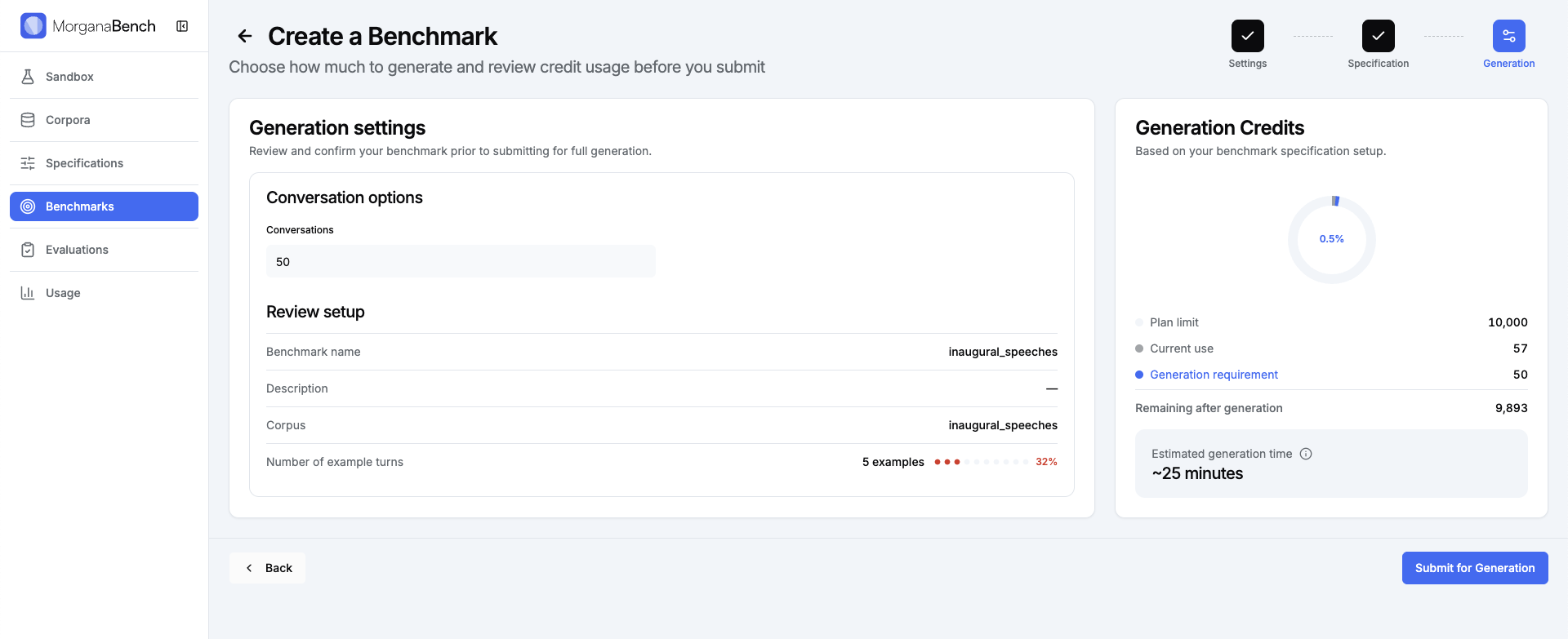
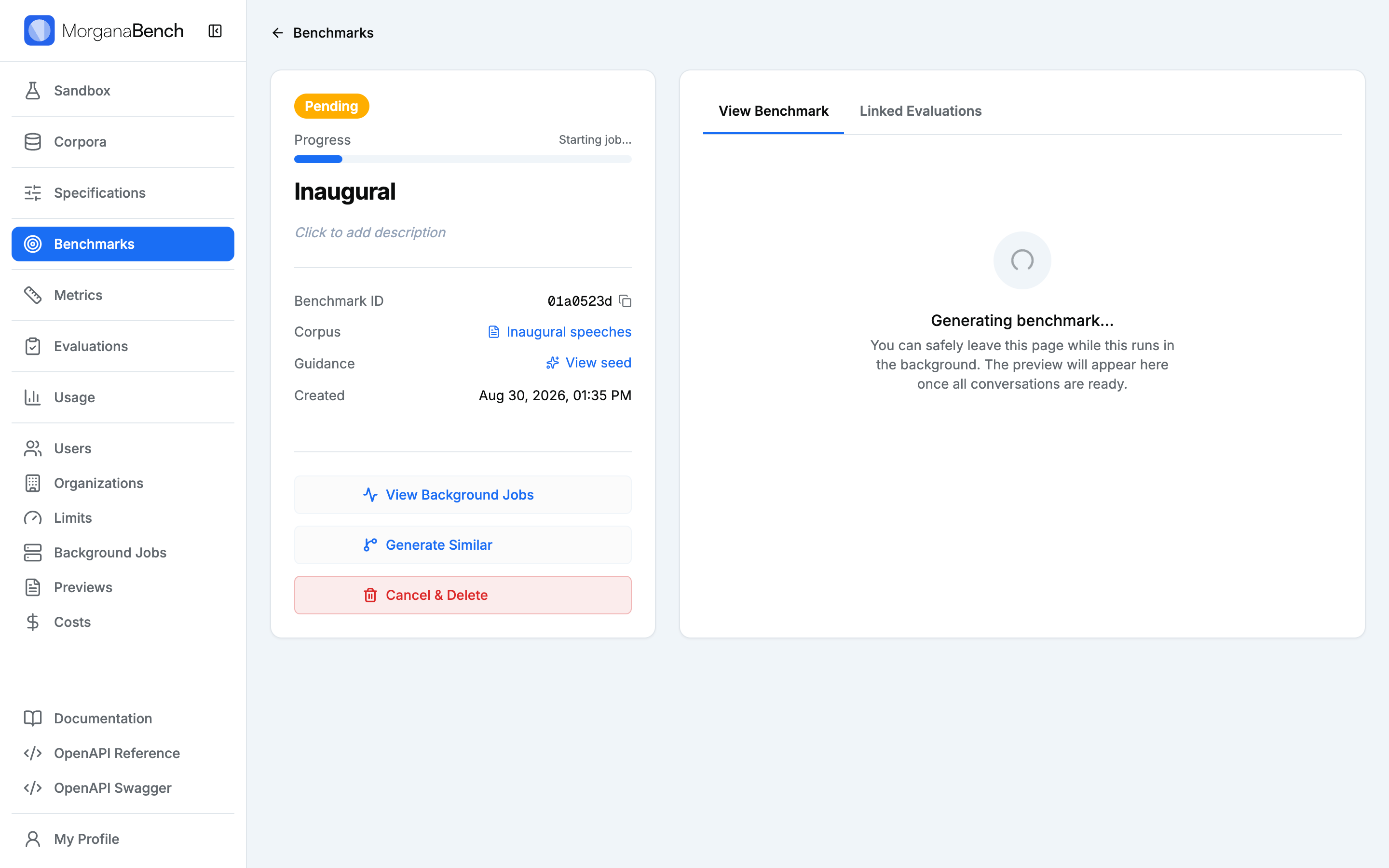
Click the Submit for Generation button to start generating the benchmark. While generation runs, you can follow its progress on the progress bar.
Inspect the benchmark
After generation is done, you should see a screen resembling the one below:
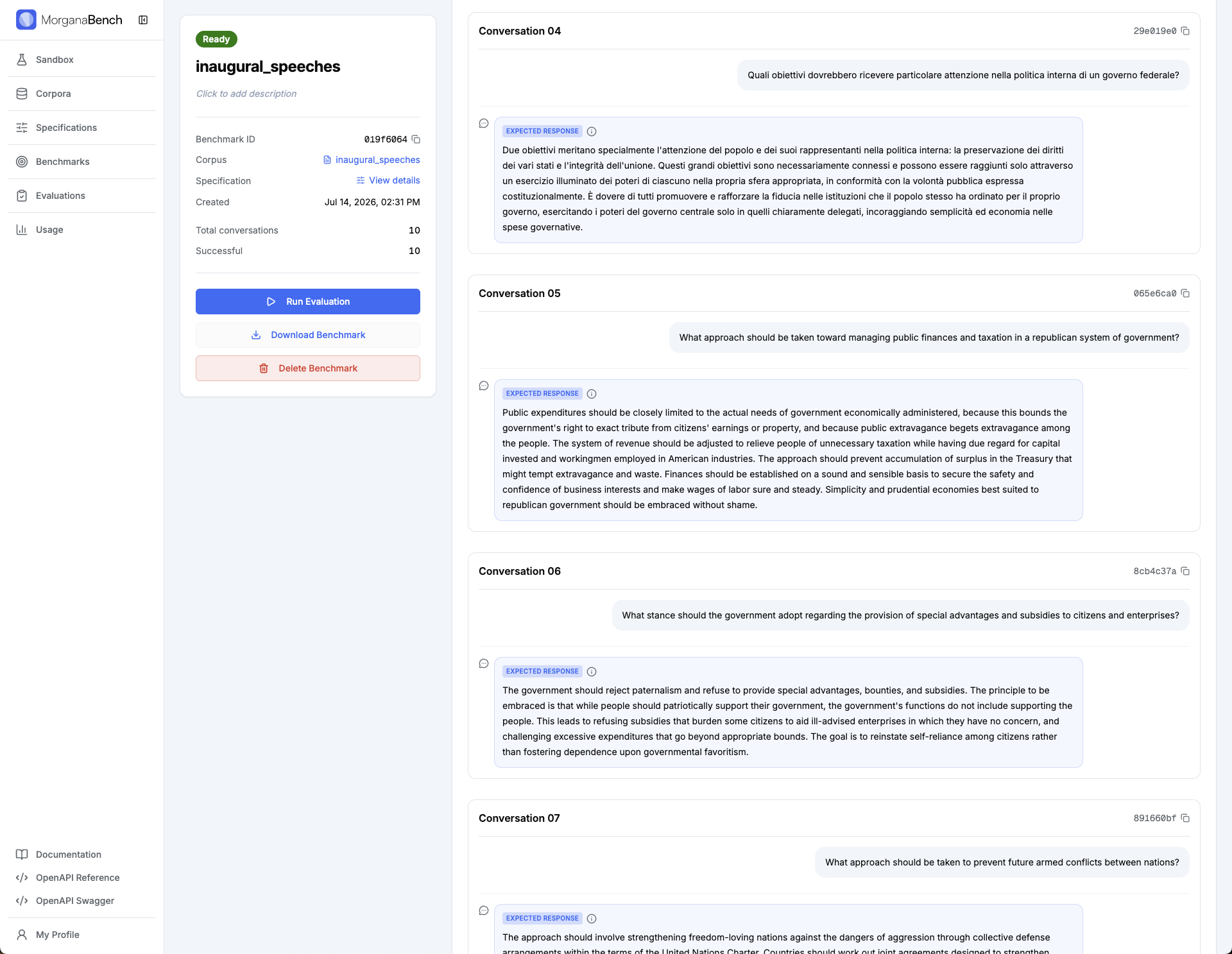
The left panel shows general metadata about the benchmark, such as its name and the corpus it is grounded on. The right panel shows the benchmark's content — the inputs to your agent and the expected responses it should produce. Following our examples, the generated requests resemble the seeds we provided in style and structure, cover a broad range of topics grounded in the inaugural speeches corpus, and appear in a mix of English and Italian.
The ID of each case is shown at the top of its box, along with a copy button — useful for locating a specific case in the benchmark file. You can download the full file with the Download benchmark button on the left panel and inspect it offline.
The file format is straightforward: a newline-delimited JSON file (known as JSONL or NDJSON), where each line describes the agent's inputs, the associated metadata, and the expectations. We provide a Python library and accompanying documentation for parsing and working with the format — see the SDK and Data Formats documentation. Below is one example line from a generated benchmark:
{
  "id": "8cb4c37a-2a5d-4ffb-960c-33948d7524e9",
  "benchmark_id": "019f6064b1117ffabb25141afd8861c2",
  "inputs": {
    "messages": [  // (1)!
      {
        "role": "user",
        "content": "What stance should the government adopt regarding the provision of special advantages and subsidies to citizens and enterprises?"
      }
    ],
    "metadata": {
      "turns": [ // (2)!
        {
          "categories": {},
          "resources": []
        }
      ]
    }
  },
  "expectations": [ // (3)!
    {"expect": "response", "response": "The government should reject paternalism and refuse to provide special advantages, bounties, and subsidies. The principle to be embraced is that while people should patriotically support their government, the government's functions do not include supporting the people. This leads to refusing subsidies that burden some citizens to aid ill-advised enterprises in which they have no concern, and challenging excessive expenditures that go beyond appropriate bounds. The goal is to reinstate self-reliance among citizens rather than fostering dependence upon governmental favoritism."}
  ],
  "outputs": null,
  "assessments": null
}
- OpenAI-style messages describing the input given to the agent.
- Metadata associated with each turn. Benchmarks generated with more like this carry no category labels, so
categoriesis empty. - The expected outcome the agent should produce, as a list of typed items. In search benchmarks the list holds one item with
expectset toresponse.
The inputs field holds the agent's input in the familiar OpenAI messages format, along with associated metadata, and the expectations field holds the ground-truth response. The outputs and assessments fields are empty for now: outputs will hold the responses from the agent under evaluation, and assessments will hold MorganaBench's scoring of those outputs against the expectations.
Learn next
- Evaluate an agent on the benchmark using the CLI.
- Evaluate an agent on the benchmark using the web UI.